Free Social Media QR Code Generator
A Social Media QR code opens one profile page with a button for every account you add — Instagram, TikTok, YouTube, Facebook, X and more. One code on your poster, card or bio links followers to everything you do.
Add your name, a short line about yourself and a picture, then fill in the accounts you want to show — only the ones you fill in appear as buttons. Scanners open a free profile page on iLoveToolzy. The code is free, needs no sign-up, and never expires.
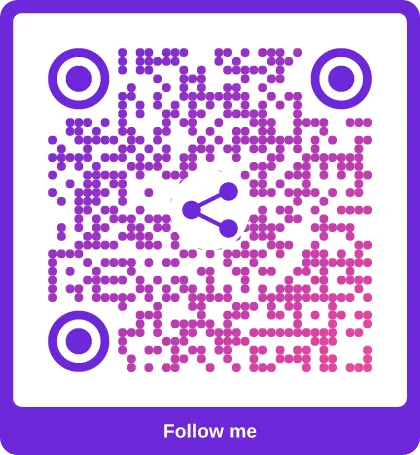
How to make a Social Media QR code
- Choose the Social Media type in the QR Code Generator.
- Enter your name, title and description, and add a picture if you like.
- Fill in each social account you want to show — a username or link for each.
- Press Generate QR Code, download it, and scan it once to check every button opens the right profile.
Frequently asked questions
Which social networks can I add?
Facebook, Instagram, X (Twitter), LinkedIn, YouTube, TikTok, WhatsApp, Telegram, Snapchat, Pinterest and your website — add as many or as few as you like.
Do I need to fill in every account?
No. Only the accounts you fill in show as buttons on your profile page, so add just the ones you want people to find.
Can I add my own picture to the profile page?
Yes. Add a picture or logo when you make the code and it shows at the top of your profile page, above your name.
Are these tools free?
Yes, the basic online tools are free to use.
Do I need to install an app?
No. The tools work directly in a modern web browser.
Can I use the website on mobile?
Yes. The whole website is fully responsive.
Are my uploaded images stored?
No. Images are processed locally in your browser and are not uploaded to a server.
Do QR codes expire?
No. QR codes made here are static, so they never expire. A QR code that links to a file you uploaded keeps working as long as the file stays on ilovetoolzy.com.
Where do files I upload for a QR code go?
They are stored on ilovetoolzy.com so the QR code can link to them, and anyone with the link can open them. Files you use in the image tools are never uploaded — they stay in your browser.
Can I scan QR codes with my phone camera?
Yes, where your browser supports camera access and you grant permission. You can also upload an image instead.
Which barcode formats are supported?
Generator: CODE128, GS1-128, CODE39, EAN-13, EAN-8, UPC-A, UPC-E, ITF-14, Codabar, MSI, Pharmacode, ISBN, Data Matrix, PDF417 and Aztec. Scanner: the formats your browser's built-in detector supports (typically QR, EAN, UPC, Code 128, Code 39 and more); unsupported browsers will show a notice.
What are the limits?
A QR code holds about 2,900 characters. A file uploaded for a QR code must be 25 MB or smaller (PDF, JPG, PNG, WebP, MP3 or MP4). A picture or PDF stored inside the QR code itself must be very small — about 1,800 characters for a picture and 1,200 for a PDF. Bulk QR codes: 100 lines per batch, and a line that cannot fit in one QR code is skipped. Dynamic QR codes (free account): 20 new codes per hour, 200 in total per account.