Create a custom QR code in seconds without an account. Choose from 24 types, add your logo, colors, gradients, corner styles and a frame, and download it as PNG, SVG, JPG or EPS. Most codes are static, so they never expire \u2014 including Bank Payment codes. For Pakistan (Raast) the code holds plain-text payment details, because bank apps do not reliably open a Raast auto-payment code. Everything runs in your browser, except a file you choose to upload, which is stored on ilovetoolzy.com so the QR code can open it.
100% free, no sign up or login needed
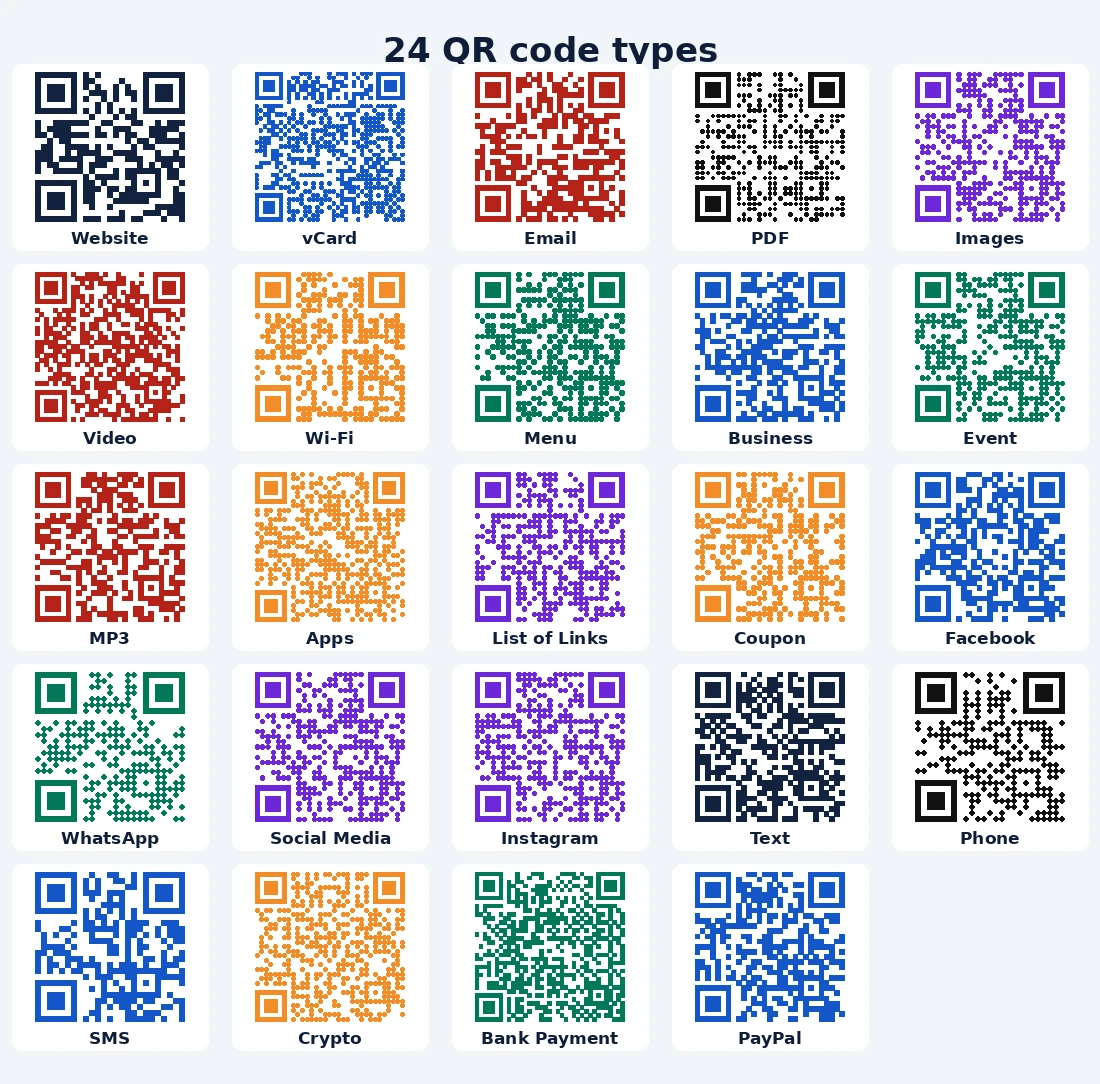
24 QR code types
Logo, colors, dot shapes and frames
PNG, SVG, JPG and EPS download
No expiry, no tracking, no watermark
How to create a QR code
Choose the QR code type.
Fill in your details. The preview updates as you type.
Customize colors, shapes, logo and frame.
Download your QR code and test it with your phone before printing.
24 QR code types you can create
All 24 QR code types support the same logo, color, corner and frame options.
Every type works with the same design tools: ready-made styles, colors, gradients, dot and corner styles, your logo and a frame. These examples show what you can make. Click a type in the QR Code menu at the top to start.
Create a free business page with your logo, opening hours for every day, call, WhatsApp and email buttons, directions, a Save contact button, about text, services, facilities and social links. No sign up and no expiry. Create a Business QR code.
Event QR code
Create a free event page with date and time, an Add to calendar button, directions, contact details, facilities such as parking and Wi-Fi, social links, your own color and font. No sign up and no expiry. Create a Event QR code.
MP3 QR code
Link to a song, podcast or audio file on SoundCloud, Google Drive or Dropbox. Create a MP3 QR code.
Share up to 10 links on one free page with big buttons. No sign up and no expiry. Great for shops, creators and events. Create a List of Links QR code.
Coupon QR code
Create a free coupon page with your offer, picture, sales badge, coupon code with a Copy button, valid dates, terms, directions, your own color and font. No sign up and no expiry. Create a Coupon QR code.
Build a free profile page with your picture, name, title and description, plus one big button for each account: Facebook, Instagram, X, LinkedIn, YouTube, TikTok, WhatsApp, Telegram, Snapchat, Pinterest and your website. No sign up and no expiry. Create a Social Media QR code.
Open a ready-to-send text message with the phone number and message already filled in. Create a SMS QR code.
Crypto QR code
Receive Bitcoin, Ethereum, Solana, XRP, USDT, USDC and more. The payer’s wallet opens with your address and an optional amount already filled in. Create a Crypto QR code.
Bank Payment QR code
Receive bank payments from Pakistan (Raast), India (UPI), Europe (EPC), Brazil (Pix), Singapore (PayNow), Thailand (PromptPay), Malaysia (DuitNow), Indonesia (QRIS), Philippines (QR Ph), Vietnam (VietQR) and Cambodia (KHQR). The amount is optional, and the payer’s bank app opens the payment screen. Create a Bank Payment QR code.
PayPal QR code
Open your PayPal.me link so people can pay you with PayPal, with an optional amount and currency. Create a PayPal QR code.
Design a professional QR code with your logo
Start from a ready-made style or design your own. Add your logo or picture in the center, color the dots with your logo colors, or show it behind the QR code. Use a color gradient, square, rounded, dotted or classy dots, square, rounded, circle or leaf corners with their own colors, and a frame with your own text such as Scan me, Play video or Write a review. Read our guide to adding a logo to a QR code. Download as PNG, SVG, JPG or EPS. Keep strong contrast between the code and the background so every phone can scan it.
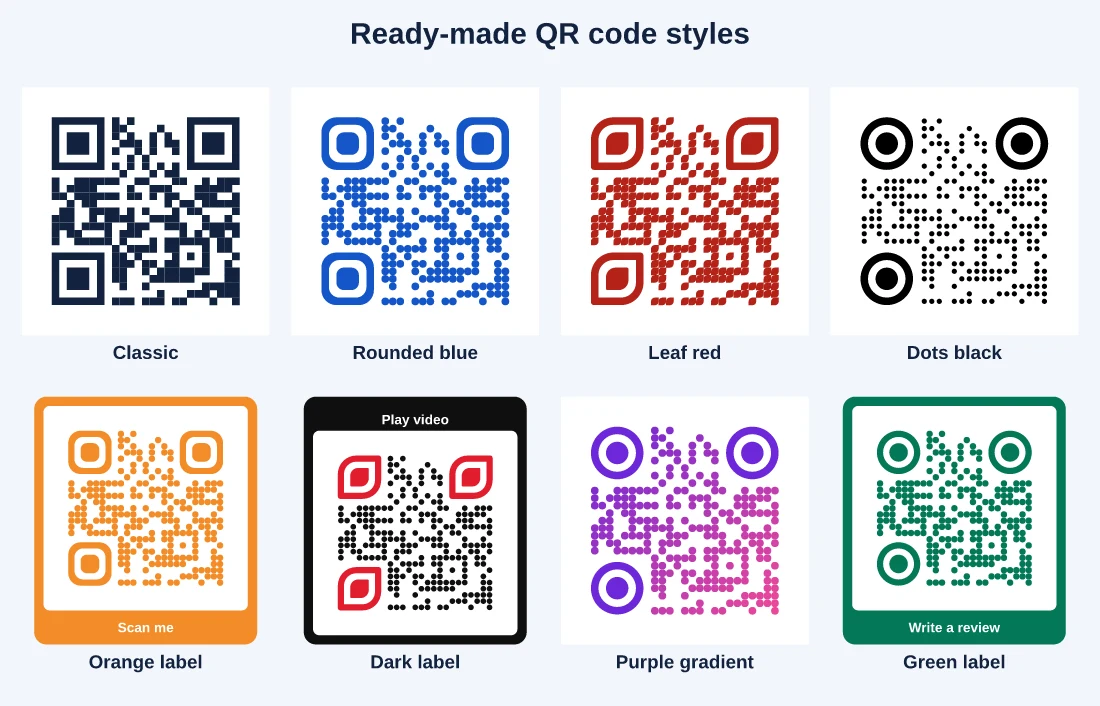
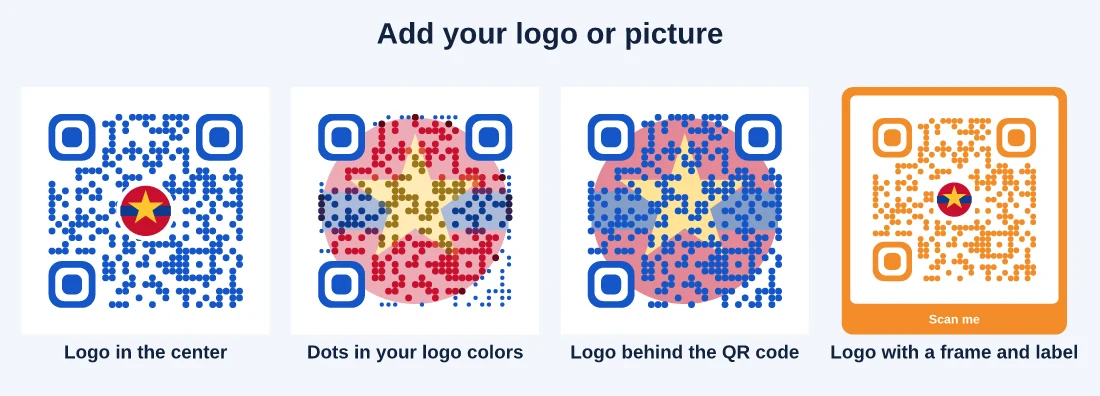
Eight ready-made styles you can apply in one click and then change.Show your logo or picture clearly: in the center, in the dot colors, or behind the code.
Logo in the centerDots colored with your logoLogo behind the QR code
Add your logo or picture to a QR code
Show your logo clearly: place it in the center, color the dots with your logo colors, or put it behind the QR code with Light, Medium or Strong visibility. Works with every QR code type.
Gradient and brand colors
Pick any color, a two-color gradient, or one-click color presets.
Dot and corner styles
Choose from five dot styles and four corner styles, with separate corner colors.
QR code frames and labels
Add a border or a label at the top or bottom with your own text and colors.
Ready-made QR code styles
Eight professional styles you can apply in one click and then change.
Free QR Code Generator FAQ
Is this QR code generator really free?
Yes. It is 100% free, with no sign up or login needed, no watermark and no usage limits.
Do the QR codes expire?
No. Every QR code made here is static and never expires — including Bank Payment codes. For Pakistan (Raast), bank apps do not reliably accept an auto-payment QR, so the site gives plain-text payment details instead, and a text QR never expires. A QR code that links to a file you uploaded keeps working as long as the file stays on ilovetoolzy.com.
Can I add a logo and change the colors?
Yes. Upload your logo, pick the QR and background colors, choose dot and corner styles and add a frame with your own text.
Which file formats can I download?
PNG, SVG, JPG and EPS. Use SVG or EPS for print and PNG or JPG for the web.
How do PDF, image, video and MP3 QR codes work?
Paste the public link to your file, or upload the file in the generator — it is stored on ilovetoolzy.com and the QR code opens that link. Anyone with the link can open the file.
Can I upload a video, MP3 or PDF file directly?
Yes. Choose the file in the generator and it is uploaded to ilovetoolzy.com (PDF, JPG, PNG, WebP, MP3 or MP4, up to 25 MB) — the QR code holds the link to the stored file, so anyone who scans it can open it. A QR code cannot hold a large file itself, it holds a link. You can also paste a link to a file you already host on YouTube, Google Drive or Dropbox, or choose a small picture or PDF file that is embedded in the QR code if it fits (about 2,900 characters).
How do Crypto QR codes work?
Choose your coin (Bitcoin, Ethereum, Litecoin, Dogecoin, Solana, Ripple (XRP), Bitcoin Cash, Polygon, BNB, Tron, USDT or USDC), paste your public wallet address, and add an amount if you want one. For Ethereum, Polygon and BNB you can also pick the chain (Ethereum Mainnet, Polygon, Base, Arbitrum or BNB Chain) — the chain ID is included in the code, so the payer’s wallet opens on the right network — the amount is optional. Scanning the code opens the payer’s wallet with the address and amount already filled in; the payment happens in their wallet, not on this site. For USDT / USDC, choose the network the token is on (ERC20, TRC20, BEP20 or Solana). Never enter a private key or seed phrase — only a public wallet address.
How do Bank Payment QR codes work?
Choose a payment system first: Pakistan — Raast, India — UPI, Europe — EPC (EUR), Brazil — Pix, Singapore — PayNow, Thailand — PromptPay, Malaysia — DuitNow, Indonesia — QRIS, Philippines — QR Ph, Vietnam — VietQR, Cambodia — KHQR, or leave it on Auto and the generator picks from your IBAN or ID. Then enter the identifier that system needs — a Pix key, a PayNow mobile or UEN, a PromptPay phone or national ID, a DuitNow QR ID and acquirer ID, a QRIS NMID, a QR Ph mobile, account or email, a VietQR bank BIN and account, or a Bakong account ID — plus the payee name and, if you want one, an amount. The amount is optional: leave it blank for an open payment request (for example on a shop counter) and the payer types any amount in their own bank app. For Pakistan (Raast) the code always holds plain-text details — bank, account name, IBAN and amount — because bank apps do not reliably open a Raast auto-payment code; scanning shows the details and the payer pays in their own bank app. DuitNow makes an auto-payment code only with a bank-issued acquirer ID and QR ID, and QRIS only with a bank-assigned NMID — without those IDs you get plain-text details instead. As a rule, any system not reliably supported by banks gets a plain-text QR so the scan at least shows the details. The payment happens in the payer’s bank app — this site never touches money.
Which countries' payment QR codes can I make?
Bank Payment QR codes cover Pakistan (Raast — plain-text details), India (UPI), Europe (EPC for EUR IBANs), Brazil (Pix), Singapore (PayNow), Thailand (PromptPay), Malaysia (DuitNow), Indonesia (QRIS), the Philippines (QR Ph), Vietnam (VietQR) and Cambodia (KHQR). For any other bank or country the code holds your payment details as text, and the app may only show the details.
Can I make a Zelle, Venmo, WeChat Pay or M-Pesa QR code?
No — and no website can. Zelle and Venmo (USA), WeChat Pay and Alipay (China) and M-Pesa (Kenya) are closed systems: only their own apps can create their payment codes. Any site that claims to make one is not telling the truth.
How does the List of Links QR code work?
Add up to 10 button names and web addresses. Scanning the QR code opens a free page on iLoveToolzy that shows your links as big buttons. Your links are stored inside the QR code, so there is no sign up and no expiry.
Can I put my logo in the QR code?
Yes. Upload your logo or picture and place it in the center with a white square or circle behind it, color the dots with your logo colors, or show it faded behind the whole QR code. Choose Light, Medium or Strong visibility and test the code with your phone before printing.
Can I use gradient or brand colors?
Yes. Choose any QR color and background color, or turn on a two-color gradient (diagonal, horizontal, vertical or from the center). Keep the QR color darker than the background.
Can I add a frame and text like Scan me?
Yes. Add a border or a label at the top or bottom, and set your own text, frame color and text color.
Does it track scans?
No. These are static QR codes, so there is no scan counter and no tracking. Your data stays in your browser.
Are my details uploaded?
Your QR code details are created on your device. Only a file you choose to upload is sent to our server and stored there so the QR code can open it — that file is public to anyone with the link.