Tip: drag the watermark on the preview to move it — drag the blue corner handle to resize it.
🔒 Processed in your browser. Nothing is uploaded. Use text, a logo, or both — the logo goes at your chosen position and the text goes at the opposite edge.
This free watermark tool adds your name, website or logo to a photo, so everyone who shares it knows where it came from. It runs entirely in your browser, so your pictures are never uploaded, and you can watermark as many images as you need.
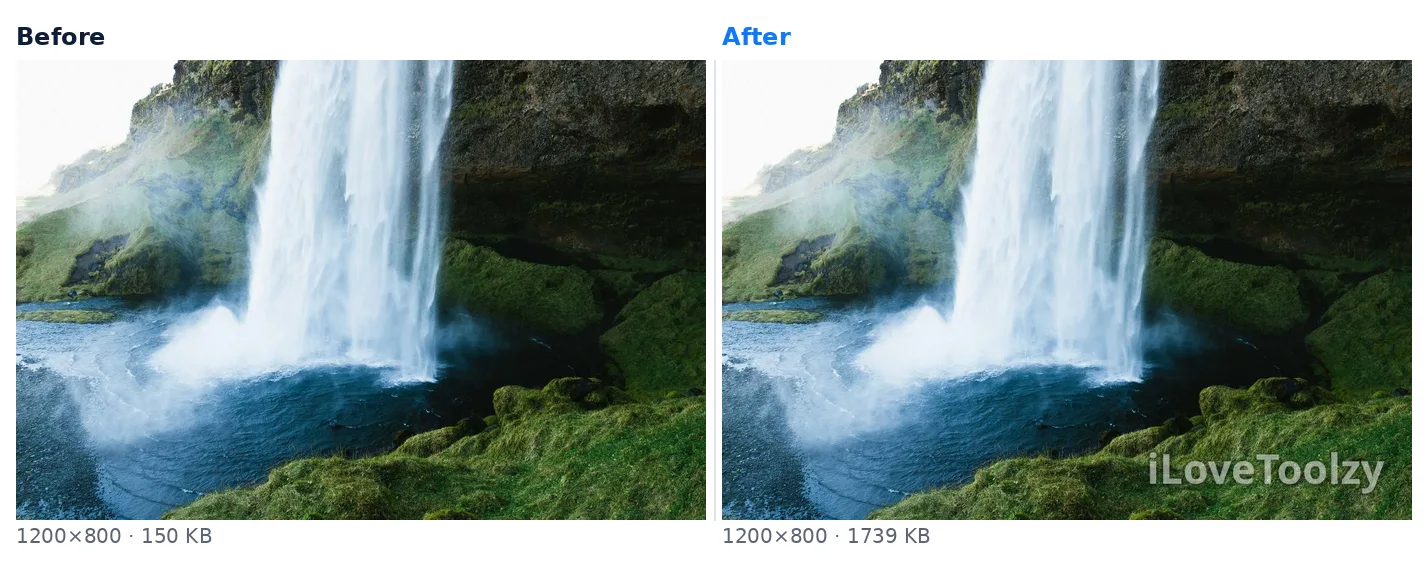
Example result: the photo with an “iLoveToolzy” watermark at the bottom right.
You can use a text watermark, a logo image, or both at once. The text can be your name, a website address or a copyright notice, and a logo works best as a PNG with a transparent background.
Text watermark, logo watermark, or both
Nine positions — corners, edges and centre
Opacity, size and rotation controls
PNG or JPG output
No upload — private by design
Try a sample image — no upload needed.
How to use the Image Watermark
Upload your JPG, PNG or WebP image — or press “Try Sample Image” to try it with a sample photo, no upload needed.
Type your watermark text, or choose a logo image — or do both. If you use both, the logo goes at your chosen position and the text goes at the opposite edge.
Pick a position, set the opacity, size and rotation, then press Apply watermark and download the result.
Choosing a good watermark
A small, semi-transparent mark in a corner protects a photo while staying out of the way, and it suits product pictures and portfolios. A larger, centred mark is harder to crop out, which suits photos you publish publicly and do not want reused without credit. Try a few settings — the preview updates each time you press Apply watermark.
When to use it
Use it to protect photos for an online shop, a portfolio, a blog or social media, to brand pictures with your logo before sharing them, or to add a copyright notice to your work. A watermarked photo is still yours to use anywhere, and if it needs to be smaller afterwards, the Image Compressor can shrink it, while the Image Resizer can set an exact width.
Image Watermark FAQ
Can I use a text watermark and a logo together?
Yes. Add both and the logo is placed at your chosen position while the text goes to the opposite edge, so they never overlap.
Will the watermark ruin my photo?
It should not. Set the opacity to around 30–50% and keep the size small, and the mark stays visible without hiding the picture. You can preview it before downloading.
Is the Image Watermark free?
Yes. It is free to use, with no signup and no usage limits.
Are my files or data uploaded?
No. Everything runs in your browser, so your files and details stay on your device.